
Introduction There is no Windows error more paralyzing than the Blue Screen of Death (BSOD), and among the hundreds of possible stop codes, DPC_WATCHDOG_VIOLATION (Error 0x00000133) is notoriously one of the most stubborn to resolve. It strikes seemingly at random—while rendering a video, playing a heavy game, or even during idle web browsing—forcing your PC …

You are deep into a workflow or a gaming session when your Windows PC suddenly locks up, throws a cryptic Blue Screen of Death (BSOD), or abruptly refuses to open basic system applications. A corrupted Windows operating system turns your reliable daily machine into a ticking time bomb of unpredictable software crashes. Instead of jumping …
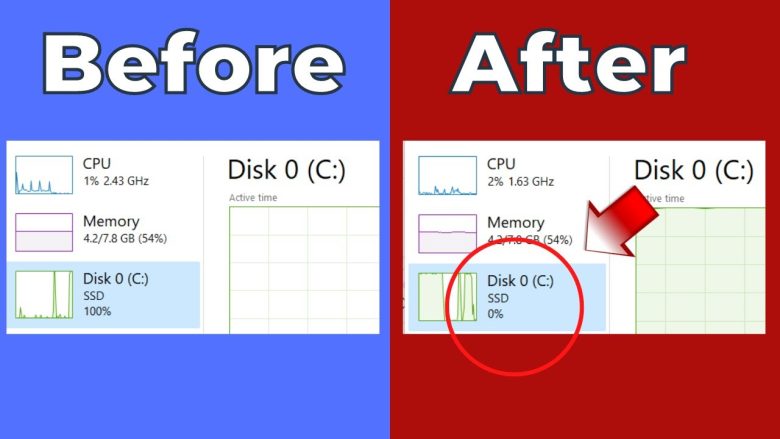
Your Windows 11 computer slows to an absolute crawl, simple applications take several minutes to open, and when you finally manage to launch Task Manager, you see the Disk column pinned at a solid 100%. Experiencing maximum disk usage when you are barely running any programs instantly turns a powerful machine into an unresponsive, frustrating …

You are rendering a massive video file or typing a crucial email when your Mac screen suddenly goes black, displays a terrifying multi-lingual error message, and forcefully restarts itself. A kernel panic on macOS Sonoma is the digital equivalent of pulling the emergency brake on a moving train. It violently halts your workflow, leaving you …
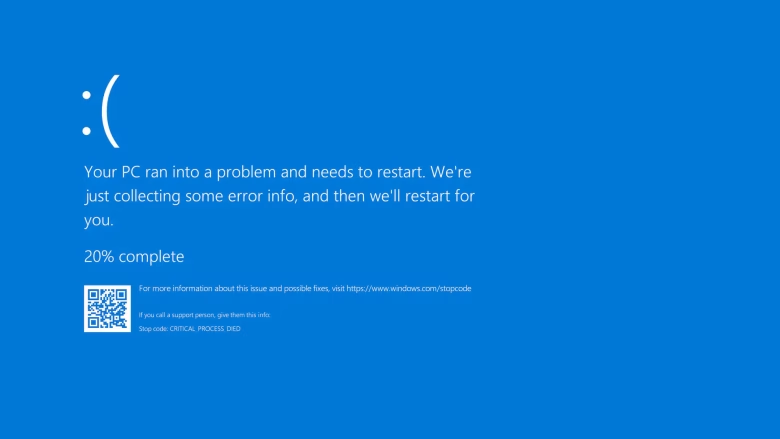
You are deep into a competitive gaming match or putting the final touches on a massive video rendering project when your monitor abruptly turns a blinding blue. A sad face icon appears alongside the dreaded stop code: “MEMORY_MANAGEMENT,” instantly wiping out your unsaved work and forcing an unexpected reboot. A Blue Screen of Death (BSOD) …
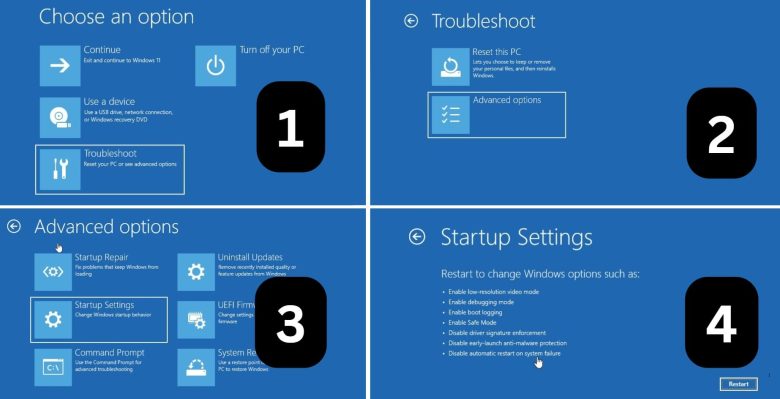
You try to uninstall a suspicious application or delete a corrupted file, but Windows instantly blocks your progress with an infuriating “File in Use” or “Access Denied” error message. Stubborn background processes can hijack your system resources, bury themselves into your startup registry, and actively fight your attempts to remove them. Instead of downloading sketchy …